
matter-enabled smart kitchen adoption is reshaping how tech-forward homeowners connect and control their kitchen appliances, but most users find the real experience is still a mix of convenience, tricky onboarding, and unexpected troubleshooting. If you are planning a unified smart kitchen or you are an installer or advanced DIYer dealing with setup and voice-mapping headaches, this no-fluff guide delivers the hard facts, research-backed data, and the step-by-step fixes you actually need.
Key Takeaways
- Matter-certified appliances now flow into all major voice ecosystems, but only about 30 percent of smart-kitchen appliances shipped in 2024 were Matter-enabled—buyers must confirm per model.
- The biggest real-world pain points are Bluetooth onboarding glitches, limited advanced function access (like oven probes), and voice assistant collisions
- Whole-home integration means testing your network design, mapping voice roles carefully, prioritizing regular OTA updates, and knowing how to troubleshoot multi-admin quirks and permissions
- What is Matter and why it finally matters for the kitchen
- 2024 adoption snapshot — how common are Matter-enabled kitchen appliances?
- Where Matter delivers value in the kitchen today (real use cases)
- The real-world integration problems users report (and why they happen)
- Voice control in Matter kitchens — what top articles miss (editorial gap)
- Troubleshooting checklist — fixes for onboarding, connectivity and voice problems
- Buying guide: What to ask and test when choosing Bosch, Samsung or LG kitchen appliances
- Whole-home smart kitchen integration blueprint (network, voice, automation, safety, and services)
- Quick case study examples (Bosch, Samsung, LG) — what works and what to test
- Future outlook to 2026 — what will change and how to future-proof your kitchen
- TL;DR — buyer decision rules and installer quick wins (summary box)
- FAQ
What is Matter and why it finally matters for the kitchen
The Matter protocol was developed to solve one of the oldest frustrations in smart kitchens—appliances and controllers from different brands just would not talk to one another. Matter’s core purpose is cross-vendor interoperability, so your oven, cooktop, or fridge can be controlled by your favorite ecosystem—Apple Home, Google Home, or Alexa—without brand lock-in or hacky workarounds.
Matter 1.3 (launched May 2024) was a milestone: it officially brought oven, cooktop, and energy features into the fold, opening the gates for smart kitchen appliances using the Matter protocol. The November 2024 update (Matter 1.4) added enhanced Multi Admin capability, making it easier for a single device to work reliably across several ecosystems at once. This changes the landscape—now you can design a smart kitchen where Bosch, Samsung, and LG gear can be voice controlled, automated, and managed in a single app or via multiple voice assistants, all with improved reliability.

2024 adoption snapshot — how common are Matter-enabled kitchen appliances?
It is easy to assume that every new smart kitchen appliance supports Matter, but the numbers from 2024 show a more nuanced reality:
- About 30 percent of all smart-kitchen appliances shipped in 2024 were Matter-enabled [Research Report 4]
- Among top brands, 68 percent of Bosch models, 62 percent of new Samsung, and 59 percent of LG kitchen appliances are Matter certified [Research Report 7]
- The kitchen segment overall holds about 31 percent of the total connected home appliance market in 2024 [Research Report 5]
What does this mean for you? First, not every “smart” fridge or oven in store can join your Matter-powered kitchen. Second, brand and model really matter—Bosch leads, but both Samsung and LG offer broad support. Always check the model number and look for explicit Matter certification before committing.
Here’s how you can check and maximize the value of matter-enabled smart kitchen gear:
- Use manufacturer tools (Bosch Home Connect, Samsung SmartThings, LG ThinQ) to verify Matter status and supported features—sometimes support is model-specific, not universal.
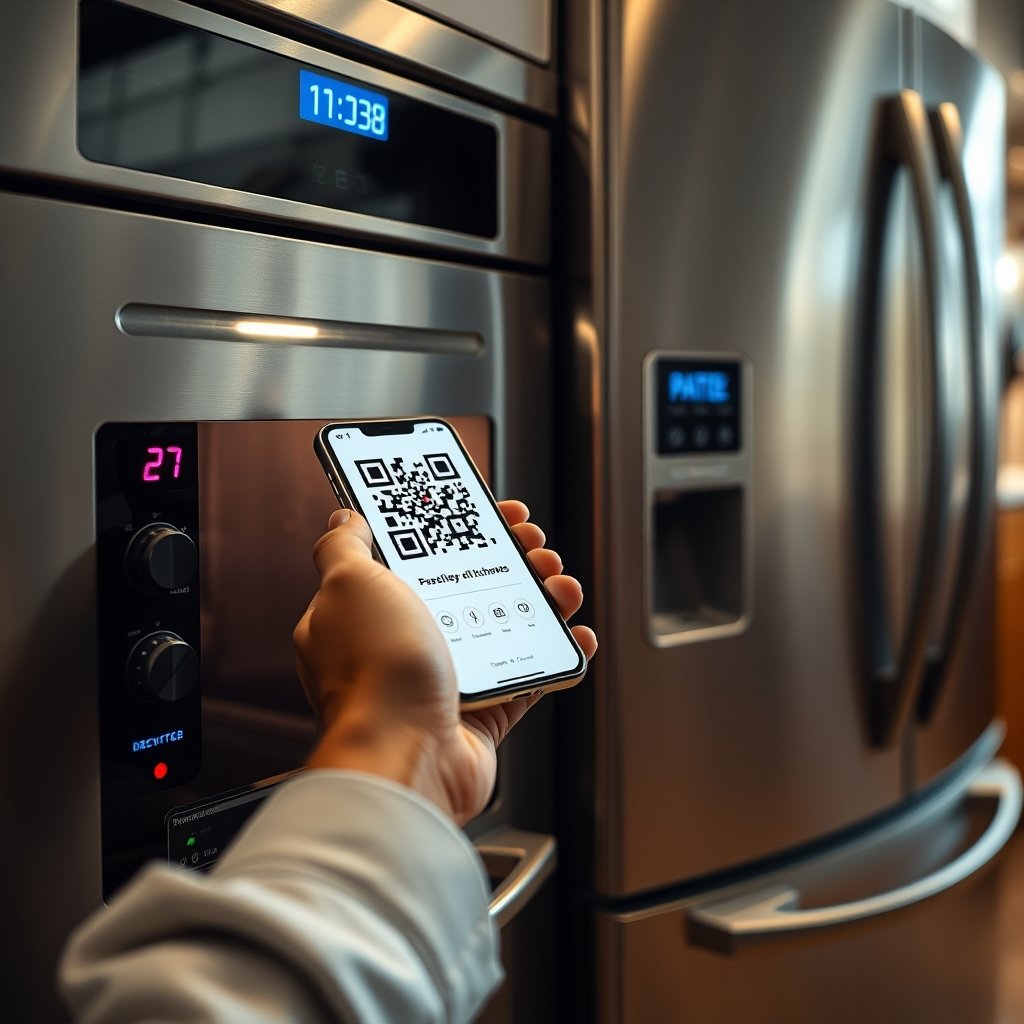
- During unboxing, scan for both the Matter code and native ecosystem pairing QR. Do this at the start, before connecting to Wi-Fi, for fewer onboarding glitches.
- Set up your home network with at least one robust Wi-Fi band reserved for smart home traffic, ideally with Quality of Service enabled for low-latency appliance control.
- Onboard using Bluetooth LE pairing (the standard for Matter), keeping your mobile device and appliance close until the setup completes. If onboarding stalls, reboot both devices and try on a less crowded Wi-Fi channel.
- Once linked, test both basic and advanced functions, especially for ovens and cooktops—validate that features such as preheating, cooking stages, and probe temperature sensors are visible in the controlling app.
- If you are integrating with voice assistants, map and test command phrases for each appliance. Document which ecosystem becomes the “primary” for automations and safety features like auto shutdown.
- Plan to set up routine checks for firmware or OTA updates, and subscribe to vendor alerts.
For a more in-depth buying guide approach—especially with premium brands—see our note on AI smart ovens for lessons on future proofing with advanced tech.
The real-world integration problems users report (and why they happen)
Most smart kitchen users hit a few frustrating hurdles—often right at the onboarding stage or when trying to actually use advanced features with voice control in a whole home smart kitchen integration. Here are the most common real-world issues, why they arise, and how vendors compare.
| Brand | Matter-certified % (2024) | Advanced Feature Exposure1 | OTA/Firmware Policy | Multi-admin |
|---|---|---|---|---|
| Bosch | 68% | High on ovens, some refrigeration, variable on cooktops | Quarterly updates, automatic opt-in (Home Connect) | Supported (since Matter 1.4) |
| Samsung | 62% | Good in fridges, fair in ovens, limited cooktop | Bi-annual updates, user opt-in (SmartThings) | Supported (since Matter 1.4) |
| LG | 59% | Reliable in some fridges, ovens and cooktops spotty | Auto updates, ThinQ cloud opt-in | Supported (since Matter 1.4) |
1 Advanced features include: preheat, probe temperature, multi-stage cooking, inventory functions, and energy management integration. Data: Research Findings from Research Reports 3, 7, and 8.
The most reported integration headaches by users (per industry analysis and crowd-sourced troubleshooting forums):
- Bluetooth Low Energy onboarding fails, especially in Wi-Fi-dense homes—appliance not appearing for pairing, or stalls during QR pairing routines
- Wi-Fi signal instability in kitchen areas, leading to device drops or delayed command response—often due to interference from microwaves or metal cabinets
- Advanced oven features (multi-stage, probe, delayed starts) not fully exposed via Matter API—even if the brand app can do it, third-party apps often cannot
- Conflicts between voice assistants if more than one ecosystem tries to manage the same appliance, resulting in duplicated or missed commands
- Granular safety permissions missing—some setups do not block voice auto-start for ovens or cooktops, causing child safety concerns
- Unclear over-the-air update schedules, leaving appliances on old or insecure firmware
For more on specific smart kitchen appliance types and performance, see our reviews of AI-powered air fryers and steam ovens—many of these have similar onboarding patterns.
Where Matter delivers value in the kitchen today (real use cases)
Matter compatible refrigerator and oven models now deliver reliably on the basics. Straight out of the box (when certified), you can link these appliances to Google Home, Apple Home, or Amazon Alexa using Bluetooth LE for setup, then switch to Wi-Fi for daily controls [Research Report 4]. These are the use cases that are solid right now:
- Turn ovens and cooktops on or off remotely or via voice
- Monitor oven and fridge status directly from your phone or speaker
- Simple automations like setting oven preheat at a certain time, or live inventory tracking with fridge notifications
- Multi-ecosystem access—once onboarded, the same oven can appear in both Google Home and Apple Home at the same time
But, for advanced features like multi-stage cooking sequences or checking internal oven probe temperatures, support varies a lot by brand, and usually you must use the manufacturer’s app itself.
For best-in-class inventory, recipe, and automation flows, Samsung SmartThings and Bosch Home Connect are usually top choices, but always verify feature exposure model by model.
Voice control in Matter kitchens — what top articles miss (editorial gap)
Most articles focus only on the fun of “Alexa, preheat my oven,” but the hard problems for voice control kitchen appliances matter standard adoption are in the details few cover:
- Device discovery quirks—seamless QR or NFC pairing is often assumed but rarely perfect. Easiest if done before Wi-Fi pairing, in a fixed spot near your router.
- Cross-assistant command translation—Matter promises access from multiple voice systems, but each has its own phrasing requirements, leading to command translation or missed automations.
- Latency and error handling—voice commands can lag or time out on crowded Wi-Fi channels, especially with older routers. Immediate feedback is critical for kitchen safety.
- Granular permissions—few systems have robust child locks or confirmation prompts for risky actions like oven auto-start.
- OTA update security—if a vendor is slow to patch firmware, you may lose access to Matter features or expose the appliance to exploits. Bosch is above average; others less transparent.
- Multi-admin switching headaches—“Enhanced Multi-Admin” is new, and not all current appliances update to support it fully in legacy ecosystems.
For voice recipe and inventory flows, see how AI smart ovens handle live instructions; the smoothest experiences always come from brands that support both Matter and deep vendor app integration.
Troubleshooting checklist — fixes for onboarding, connectivity and voice problems
Here are the battle-tested steps for resolving the most reported matter-enabled smart kitchen headaches:
- Bluetooth LE onboarding fails?
- Keep your phone and appliance within 3 feet of the Wi-Fi router during onboarding
- Temporarily disable cellular data or VPNs during QR pairing to avoid network confusion
- If pairing stalls, restart both devices and reset appliance network settings before retrying
- Wi-Fi connectivity drops?
- Move your router higher (kitchen devices often drop when blocked by cabinets or microwaves)
- Create a dedicated 2.4 GHz SSID for smart appliances—avoid mesh handoff for initial onboarding
- Test the Wi‑Fi signal in your kitchen with a free analyzer app before installing
- Advanced oven features missing from app?
- Check the manufacturer app—not all features are exposed via Matter API yet; some require vendor-specific cloud connection
- Contact vendor support to see if an OTA update will expand Matter support for your model
- Voice assistant command conflicts?
- Choose one “primary voice assistant” for each action and disable overlapping automations in others; document command phrases that work per ecosystem
- If problems continue, factory reset and onboard the appliance to only one ecosystem first, then add additional admins one at a time testing as you go
- Oven safety concerns?
- Test voice commands for unsafe patterns (like “Alexa start oven” without a code or confirmation); enable child locks and do not expose preheat or start actions to every admin
- Confirm each role’s permissions in both the vendor app and your chosen smart home controller
- Stuck? Call vendor support with your model, firmware version, and what step failed—they are prepared for Matter onboarding calls. Ask directly about supported feature set and the timeline for updates.
Looking for more appliance-specific troubleshooting? Our deep-dive on air fryer integration covers common Wi-Fi and voice pairing issues for compact devices.
Buying guide: What to ask and test when choosing Bosch, Samsung or LG kitchen appliances
Do not trust the box—always dig into the specifics for each brand and model:
- Confirm full Matter certification. Insist on proof for your exact model—Bosch has the highest likelihood at 68 percent, Samsung close at 62 percent, LG at 59 percent in 2024 (Research findings, industry report).
- List the features exposed via Matter. Find out if cooktop zones, oven stages, probe temperature readings, and energy features appear in your chosen controller.
- Ask about OTA update cadence. Bosch leads with quarterly Home Connect firmware. Samsung updates twice a year via SmartThings; LG does auto updates with ThinQ but some regions require manual intervention.
- Test voice automation behaviors in-store. Trigger a preheat, stop, or probe readout in both the vendor and Matter-supported app.
- Check for Multi-admin support. Only Matter 1.4 models guarantee full cross-ecosystem access.
- Inspect warranty and remote diagnosis options. Bosch Home Connect offers remote repair diagnostics, Samsung and LG are rolling out broader support.
If exploring other appliance types, see our guides on advanced cookware like premium oven-safe cookware—these are common upgrades alongside new smart ovens.
Whole-home smart kitchen integration blueprint (network, voice, automation, safety, and services)
Building a seamless smart home kitchen ecosystem for 2026 means a solid network, staged voice mapping, and safety-focused automations:
- Network topology: Segment your smart kitchen appliances on a dedicated VLAN if possible. Use a dual-band router, setting smart devices (appliances, hubs) to a 2.4 GHz band with QoS to prioritize voice and status traffic.
- Hub/controller choices: Local controller (like Home Assistant) or cloud-based (SmartThings, Apple Home). For privacy, keep control local as much as possible, with cloud fallback only for multi-ecosystem features.
- Voice assistant mapping: Assign specific appliances or rooms to a primary voice assistant. Document roles and restrict start/stop actions where safety is a concern.
- Automation links: Set up inventory, recipe, and energy tracking hooks using vendor or third party integrations. Tie inventory depletion to recipe reminders and energy stats shown on your smart display or app of choice.
- Safety constraints: Enable auto-shutdown on long inactivity. Child-lock any device exposing heating elements. Require confirmation on all voice auto-start commands.
- Implementation checklist:
- Verify Wi-Fi coverage and create a dedicated SSID for smart kitchen gear
- Onboard each appliance using the recommended sequence—Bluetooth QR, Wi-Fi entry, app registration
- Assign voice and automation roles to each device in your central smart home hub
- Test and document all desired automations before deploying throughout your kitchen
- Set up monthly routines to check for firmware/OTA updates and confirm safety settings have not changed after updates
With the kitchen segment representing over 31 percent of the smart home appliance market in 2024 [Research Report 5], planning for scale from day one avoids disruptive retrofits.
Quick case study examples (Bosch, Samsung, LG) — what works and what to test
Let us ground the research with hands-on scenarios:
- Bosch matter appliance onboarding: Setup is smooth using Bosch Home Connect. All basic oven control and preheat appear in both the Home app and Alexa. But multi-stage cooking and probe readings often require switching to Bosch’s app. Common gotcha: some cooktops update to Matter after purchase, so check for OTA immediately.
- Samsung fridge inventory and voice recipe flow: Matter onboarding into SmartThings and Google Home is reliable. Voice recipe guidance works, and inventory shows up as expected. Gotcha: Only top models support real-time recipe-to-oven integration—verify with a demo before buying.
- LG smart fridge/oven integration in the kitchen: Onboarding is usually stable. Basic controls and energy tracking expose well to Apple Home. Some ovens, though, miss advanced timer features unless you use the ThinQ app. Gotcha: Check regional firmware settings—some features are region-locked.
For comparisons of traditional versus smart appliance workflow, check our kitchen workflow upgrades with multifunction workstation sinks—integration with smart appliances is where workflow efficiency really stacks up.

Future outlook to 2026 — what will change and how to future-proof your kitchen
The path to a fully matter-enabled smart kitchen is accelerating. Analysts project a market jump to over $43 billion by 2031, with a 10.8 percent CAGR from the 2026 baseline [Research Report 1]. Matter 1.3/1.4 set the stage by expanding device support and multi-admin stability in 2024. Next steps likely include:
- Exposure of more complex appliance features via the Matter API—eventually supporting full recipe flows and advanced oven modes via any voice assistant
- Broader, faster over-the-air update support and better diagnostic alerts
- Granular permission controls and verified safety flows (like confirmation for high-risk actions)
- Strong energy management integrations—appliances will sync with whole-home energy dashboards
- By 2035, projections suggest up to 80 percent of “whitegoods” appliances will be fully wireless and likely Matter-enabled
To future-proof:
- Only buy appliances with explicit, updatable Matter certification—avoid “future ready” claims without proof
- Design your network and voice assistant roles for scale and change, assuming you will swap or add appliances over the years
- Set calendar reminders to check for OTA updates every month, and subscribe to vendor security bulletins
For next-level hands-off automation, our experts recommend supplementing appliances with AI-powered companions—see our picks for the best AI air fryers.
TL;DR — buyer decision rules and installer quick wins (summary box)
- Always verify Matter certification per exact model and region—30 percent of kitchen appliances shipped in 2024 met the standard (Research Report 4)
- Test advanced features (probe, multi-stage) in-store before purchase
- Configure your Wi-Fi and automation network first, and prioritize routine OTA checks
- Assign one “primary” voice assistant to manage each device for fewer command errors
- Write down your admin and permission assignments—in dual admin homes, keep records for security
If you prioritize safety, flexibility, and a genuinely convenient matter-enabled smart kitchen, following these guidelines will deliver much smoother results. Do not settle for vendor hype—test, verify, and document your integration end to end.
FAQ
How do I check if my kitchen appliance is Matter-certified?
Look for the official Matter logo on the product, packaging, or in the technical spec sheet. For Bosch, Samsung, and LG, use their Home Connect, SmartThings, or ThinQ apps to verify model and firmware status. If in doubt, ask your retailer to show the Matter onboarding demo.
Can I upgrade a non-Matter smart kitchen appliance to support Matter?
Some appliances can be updated to Matter via vendor-issued firmware or over-the-air updates, especially newer Bosch or LG models. Check the brand’s update policy and ask about an “upgrade path” before you buy. Older models almost never gain full Matter support.
What should I do if voice commands do not work reliably with my appliances?
Assign primary and secondary roles for voice assistants and limit kitchen appliances to a single preferred ecosystem for basic commands. Review and disable overlapping automations, and ensure your Wi-Fi network is stable in the kitchen area.
Are all features available through Matter, or do I still need the brand app?
Not all advanced functions (such as multi-stage oven cooking or probe readings) are fully exposed via Matter. Some actions will require using the vendor’s native app. Always test feature visibility during setup and after updates.
What is the risk if I do not install regular OTA updates?
Missing OTA or firmware updates can leave your appliances open to bugs, security issues, and loss of Matter compatibility. Set reminders to check for updates monthly, and subscribe to the manufacturer’s newsletter or support alerts.
—